Configuring endpoints for processors
This topic describes how to configure an endpoint to register a custom authenticator or a processor.
Procedure
Registering a custom authenticator
-
Log in as an administrator to access the Configuration Manager and open the endpoint for the API you want to configure.
-
Navigate to the Endpoints tab, then click Protocol & Authentication. This opens the Protocol & Authentication page.
-
In Request Authentication Type, select Custom.
-
In the Custom Authentication Adapter field, provide the processor bean's name from adapter, for example,
com.companyname.mashery.adapter.MyCustomAuthenticator.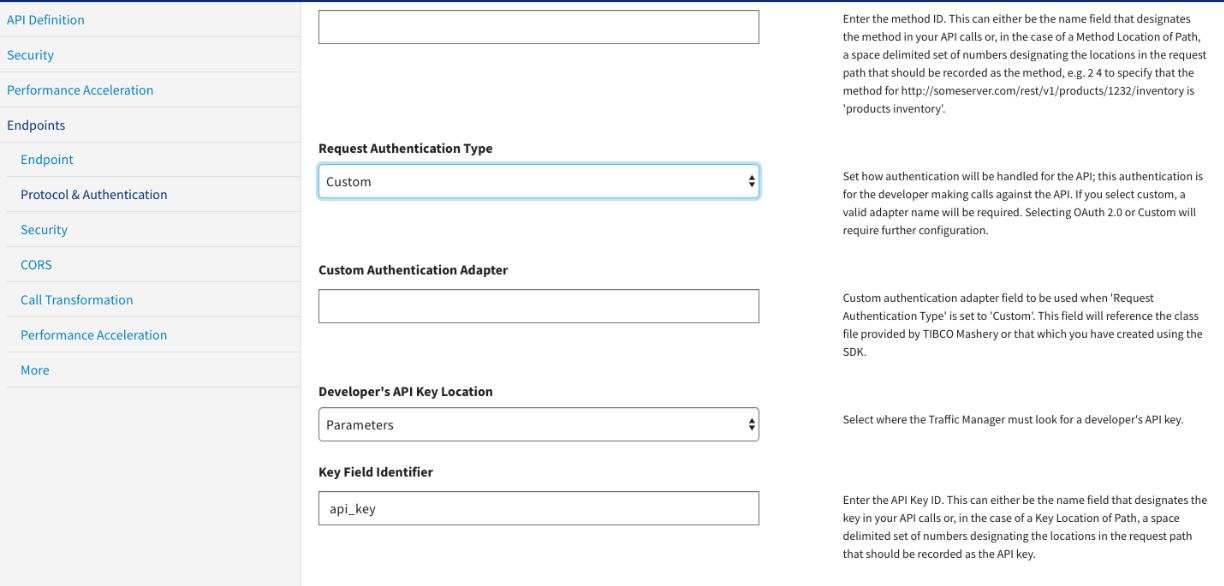
-
Registering a processor
-
Log in as an administrator to access the Configuration Manager and open the endpoint for the API you want to configure.
-
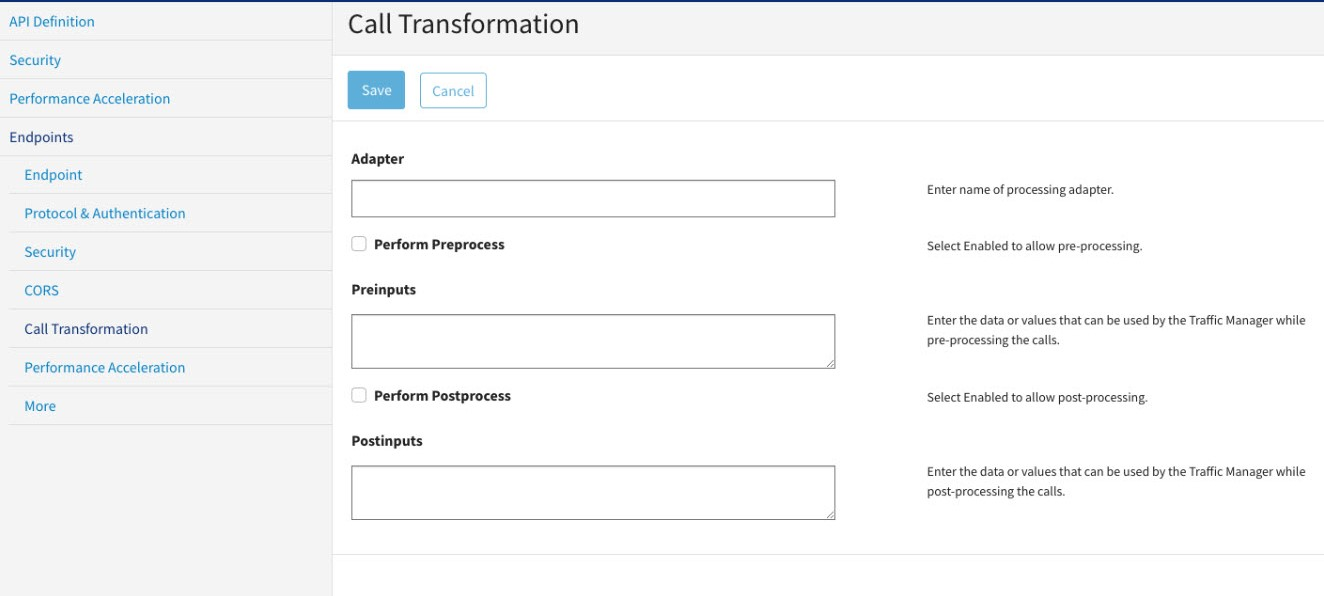
Navigate to the Endpoints tab, then click Call Transformation. This opens the Call Transformation page.
-
In the Adapter, provide the processor bean's name from adapter, for example,
com.companyname.apim.adapter. -
Select the appropriate checkbox to indicate whether the transformation runs during pre-processing or post-processing.
-
